
Contents
One: Enable Encryption on Your Devices Two: Separate Your Professional and Private Accounts Three: Continuously Back Up Firm Data to Secure Servers Four: Enable a Data Loss / Theft Protocol Five: Restrict Usage to Secure Servers
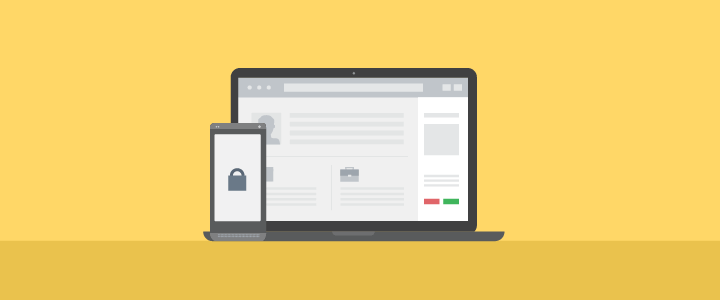
Data security is becoming increasingly complex, and keeping up with new trends can be challenging. We’ve put together a list of five easy ways to keep your legal practice secure.
One: Enable Encryption on Your Devices
Whether you’re using an all-in-one device or multiple devices between work and home, you need to encrypt access. This applies to both your desktop and mobile devices. Encryption is the first line of defence and can be the difference between a breach and a close call.
First, make sure you have a lock-screen password in place. For effective encryption, make sure to use a strong password—this means the name of your dog isn’t going to cut it. Read more about choosing a strong password.
Next, make sure to enable encryption on your device. For iPhones, you can find a guide here. For Android users, depending on your device, your guide will vary. For Nexus phones, you can find instructions on Google’s support site.
Go a step further by enabling Two-Factor Authentication on your desktop or laptop. This way, even if someone has access to your password, they will be shut out without access to your phone. Download and install the Google Authenticator app from the Play Store or App Store.
Note: As of November 15, 2016, Clio is removing the ability to authenticate access to Clio via email verification alone, and replacing it with Google two-factor authentication. If you, or users in your firm, are currently using email two-factor verification for security, we recommend switching to Google two-factor authentication.
Two: Separate Your Professional and Private Accounts
If you’re in the majority of people who use one mobile device between their personal and professional lives, it’s important to limit or eliminate the interaction between the data you use for each. Using apps such as Facebook, Twitter, LinkedIn, and Instagram can result in unauthorized access to any information stored on your device. How?
If you’re continuously logged into these apps, chances are they have the ability to access any or all of your data while active on your device. This can potentially provide a backdoor entryway for hackers and data miners.
You may like these posts
Three: Continuously Back Up Firm Data to Secure Servers
Gone are the days in which our only option was to back up data to a physical drive or disc. Why take the risk of backing up your data solely to something local? You’d be the only one protecting that data. What happens when you misplace that USB drive or the hardware itself fails?
What’s the solution then, and what servers are the most secure? First, you’ll need to figure out what type of system you’re after.
- If you’re purely looking for data storage, perhaps Dropbox is your answer.
- If you’re looking for an entire practice management system, there’s Clio. Cloud-based and secured with military-grade data encryption, Clio does an incredible job of running your firm and keeping your data secure in multiple off-site locations.
Both solutions have the benefit of securing firm data beyond the confines of a localized office. If something were to happen—a fire, flood, or other act of God—your firm’s information would remain safe and accessible.
Four: Enable a Data Loss / Theft Protocol
If you don’t have a procedure in place for data loss or theft, it’s equivalent to not having a plan to escape your office during a fire. You don’t expect it to happen, but when it does you need a plan. The goal here is to make the experience as non-intrusive as possible, so you can focus your resources on what matters most.
Some questions to consider:
- Is your data safe?
- Does a trusted third-party server hold a backup copy of your data?
- Can your server limit access to your data from everyone but yourself?
Keep time on your side by establishing protocols to prevent data loss sooner rather than later.
Five: Restrict Usage to Secure Servers
Many people don’t realize that unsecure servers can be susceptible to unauthorized third-party intrusions.
Using secure servers is especially important when travelling abroad, as the countries you visit may have varied limits and restrictions on data security. That said, hacker threats can also be a concern in certain countries. If you plan on transmitting data anywhere in a high-risk country (for example, China or Russia), make sure you take precautions beforehand.
These are a few simple steps to ensure your safety. If you haven’t already implemented them in your firm, you should probably consider them as soon as possible. Failing to do so could result in consequences most would rather not think about.
We published this blog post in October 2016. Last updated: .
Categorized in: Technology